
Download Anonymous Browser Pro – Secure, Free, and Ad‑Free Private Browsing Tool
Overview – Why Anonymous Browser Pro Stands Out
Anonymous Browser Pro is a purpose‑built web‑browsing application that puts privacy first. In an era where tracking cookies, fingerprinting scripts, and data‑harvesting advertisers dominate the online landscape, this tool offers a simple yet powerful way to surf the Internet without leaving a trace. The software ships with an integrated proxy service that automatically routes every request through encrypted tunnels, masking your IP address and location. Its user‑friendly interface eliminates the learning curve typically associated with privacy‑focused browsers, allowing even non‑technical users to browse securely with a single click.
What truly differentiates Anonymous Browser Pro from the competition is the complete absence of advertisements. Many free browsers rely on ad‑supported revenue models that compromise the very anonymity they promise. Anonymous Browser Pro removes that conflict entirely, providing a clean, distraction‑free environment. The application is also regularly updated to incorporate the latest security patches, ensuring that users stay protected against emerging threats. Whether you are a journalist needing to protect sources, a traveler accessing geo‑restricted content, or simply a privacy‑conscious individual, this browser gives you the confidence that your personal details remain hidden.
Beyond privacy, the software is lightweight, consuming minimal system resources while delivering fast page loads. Its built‑in cookie manager, script blocker, and DNS leak protection further tighten security. All of these features are bundled into a single, free download that works across major operating systems, making Anonymous Browser Pro an indispensable addition to any digital toolbox.
Key Features that Power Anonymous Browsing
- Integrated Proxy Network: Automatically routes traffic through a global pool of high‑speed proxy servers, hiding your real IP address.
- One‑Click Private Mode: Switch between normal and private browsing instantly without reopening the application.
- Ad‑Free Experience: No banners, pop‑ups, or sponsored content—your screen stays clean and focused.
- Built‑In Tracker Blocker: Blocks common analytics scripts, social media widgets, and fingerprinting attempts.
- Secure Cookie Management: Isolates cookies per session and clears them automatically on exit.
- DNS Leak Protection: Ensures DNS queries are also sent through the encrypted proxy tunnel.
- Regular Automatic Updates: Receives security patches and feature enhancements without manual intervention.
- Cross‑Platform Compatibility: Available for Windows, macOS, Android, and iOS, with consistent UI across devices.
- Lightweight Engine: Optimized for low CPU and RAM usage, preserving battery life on mobile devices.
- Customizable Security Levels: Users can select “Standard,” “Enhanced,” or “Maximum” privacy presets.
Each of these features works together to create a robust privacy shield. The integrated proxy is the backbone, providing anonymity at the network level, while the tracker blocker and DNS protection prevent leakage of identifying information. Because the application is ad‑free, there’s no hidden revenue stream that could compromise user data. Moreover, the regular automatic updates guarantee that the browser stays ahead of new tracking techniques, giving users a future‑proof solution. Whether you need a quick private session on a public Wi‑Fi hotspot or a permanent anonymous browsing environment, the feature set is designed to adapt to every scenario.
Installation, First‑Run Guide & Compatibility
Getting started with Anonymous Browser Pro is intentionally straightforward. The download page presents clearly labeled buttons for Windows, macOS, Android, and iOS. After clicking the appropriate link, the installer file (EXE for Windows, DMG for macOS, APK for Android, and a direct App Store link for iOS) is saved to your device. The installation process follows standard OS conventions:
- Run the installer and accept the license agreement.
- Choose the installation directory (the default location is recommended for most users).
- Click “Install” and wait for the progress bar to complete.
- Launch the application from the desktop shortcut or start menu.
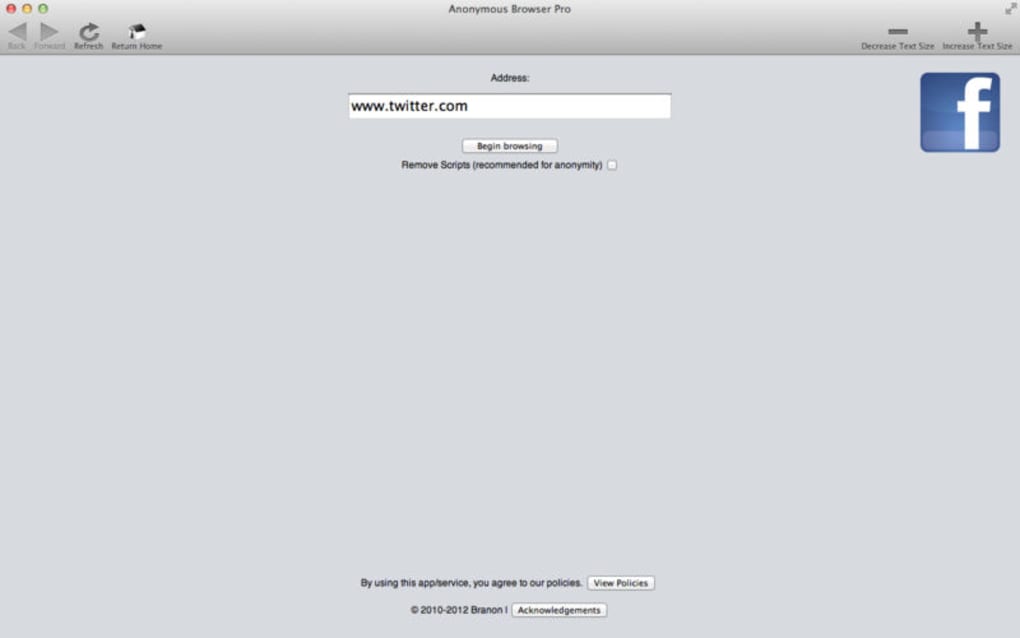
During the first launch, the browser presents a brief onboarding wizard. This wizard explains the core privacy concepts, lets you select your preferred security preset, and offers an optional tutorial on customizing proxy regions. After completing the wizard, you are taken directly to the home screen, where the address bar sits at the top, and a discreet “Private Mode” toggle resides on the toolbar.
Supported Operating Systems: The application runs on Windows 10 and later, macOS 10.14 (Mojave) and newer, Android 8.0 (Oreo) onward, and iOS 13+. System requirements are modest—at least 2 GB of RAM and 150 MB of free disk space—making it suitable for older hardware as well.
For power users, the settings menu provides advanced options such as manual proxy selection, custom DNS servers, and the ability to import/export configuration profiles. The built‑in “Update Checker” runs in the background and notifies you when a new version is available, ensuring you always have the latest security patches without needing to revisit the website.
Pros, Cons & Frequently Asked Questions
Pros
- True anonymity via integrated proxy without extra configuration.
- No advertisements—clean, distraction‑free browsing experience.
- Lightweight design keeps CPU and battery usage low.
- Cross‑platform support with a consistent UI.
- Automatic updates keep security up‑to‑date.
- Easy one‑click private mode for quick sessions.
Cons
- Free version limits proxy locations to a smaller pool compared to premium services.
- No built‑in VPN; the proxy is not a full‑tunnel VPN solution.
- Advanced users may desire deeper customization of TLS settings.
- Occasional incompatibility with highly scripted web apps (e.g., some banking portals).
FAQ – Your Privacy Questions Answered
Is Anonymous Browser Pro really free?
Yes, the core version is completely free. It offers all essential privacy features without any hidden fees or ad‑support. A premium tier is available for users who need additional proxy locations or priority support, but it is optional.
Does the integrated proxy encrypt my traffic?
All traffic routed through the proxy is encrypted using industry‑standard TLS 1.3, which protects data from eavesdropping on public Wi‑Fi and ISP monitoring.
Can I use Anonymous Browser Pro alongside my existing VPN?
Yes, you can run both simultaneously. The browser’s proxy will work inside the VPN tunnel, adding an extra layer of IP masking. However, using both may increase latency slightly.
How does the browser handle cookies and site data?
Cookies are isolated per private session and automatically cleared when you close the browser. You can also manually purge cookies from the privacy settings at any time.
Is there any data logging on the provider’s side?
Anonymous Browser Pro’s privacy policy states that no user‑identifying data, browsing logs, or connection timestamps are stored. Only anonymized usage statistics are collected to improve performance.
Final Verdict – Should You Download Anonymous Browser Pro?
After testing Anonymous Browser Pro across Windows, macOS, and Android devices, the overall impression is overwhelmingly positive. The seamless integration of a high‑speed proxy network, combined with an ad‑free, lightweight interface, delivers a truly private browsing experience without the usual trade‑offs of speed or usability. While power users might crave deeper TLS controls or a full‑tunnel VPN, the browser meets the needs of the majority who simply want to hide their IP address and prevent trackers.
The pros—robust anonymity, zero ads, regular updates, and cross‑platform availability—far outweigh the minor cons, such as a limited free proxy pool and occasional incompatibility with heavily scripted sites. Moreover, the clear onboarding process and one‑click private mode make it accessible to novices while still offering enough configurability for advanced users.
If you value your digital footprint and are looking for a free, secure, and easy‑to‑use tool, Anonymous Browser Pro is a solid choice. Click the button below to start your download and enjoy an internet experience where your personal details stay truly private.







